What Is a Web Scraper and How Does It Work?
When I first started exploring ways to collect data online, I quickly realized that copying and pasting by hand just wasn’t practical. Sure, it works if you only need a handful of entries, but the moment you’re dealing with hundreds or thousands, it’s overwhelming. That’s where I discovered the value of a web scraper.
A web scraper is essentially a digital assistant that automates the process of extracting information from websites. It turns scattered web pages into clean, usable data. In this article, I’ll walk you through what a web scraper is, how it works, and why it’s useful in so many different fields.

What Is a Web Scraper?
A web scraper is a tool or program that automatically gathers information from websites. Instead of you manually looking through a page and copying the details, the scraper does it in seconds. It pulls out specific pieces of information, like names, prices, headlines, or reviews, and organizes them into a structured format such as a CSV file, spreadsheet, or database.
For example, with a web scraper you can:
- Collect product prices across multiple online stores
- Gather real estate listings for comparison
- Compile job postings from several career sites
- Extract article titles and publish dates from news outlets
The key idea is automation. A task that would take hours or even days manually can be done in minutes.
How Does a Web Scraper Work?
Here’s a simplified step-by-step view of the process:
- Send a Request – The scraper sends a request to the website’s server, just like a browser does when you visit a page.
- Load the Page – Instead of showing you images and text, the scraper looks at the underlying code of the page, usually HTML.
- Parse the Structure – It identifies where the data you want is located in the code. For example, a product title might be stored inside a <h2> tag and the price inside a <span> tag.
- Extract Data – Once it knows where to look, the scraper pulls the information out.
- Save the Data – Finally, the data is stored in a usable format such as Excel, Google Sheets, or a database for further analysis.
Some scrapers even allow you to schedule extractions so you always have up-to-date data without lifting a finger.
Types of Web Scrapers
From what I’ve seen, web scrapers come in a few main forms:
1. Code-based scrapers: These require programming knowledge. Developers often use Python libraries such as BeautifulSoup, Scrapy, or Selenium. The advantage here is flexibility and control. You can tailor the scraper to handle complex sites or very specific needs.
2. No-code scrapers: These tools are made for people who don’t want to code. They usually provide a visual interface where you can point and click on the elements you want to scrape. Examples include Octoparse, ParseHub, and Apify.
3. Browser extensions: Lightweight and easy to use, these run directly inside Chrome or Firefox. They’re perfect for smaller tasks, such as grabbing email addresses, contact lists, or simple tables of data.
Common Uses of Web Scrapers
Web scrapers have a wide range of practical applications. Here are some common ones:
- E-commerce: Track product prices, monitor inventory, and analyze competitor listings.
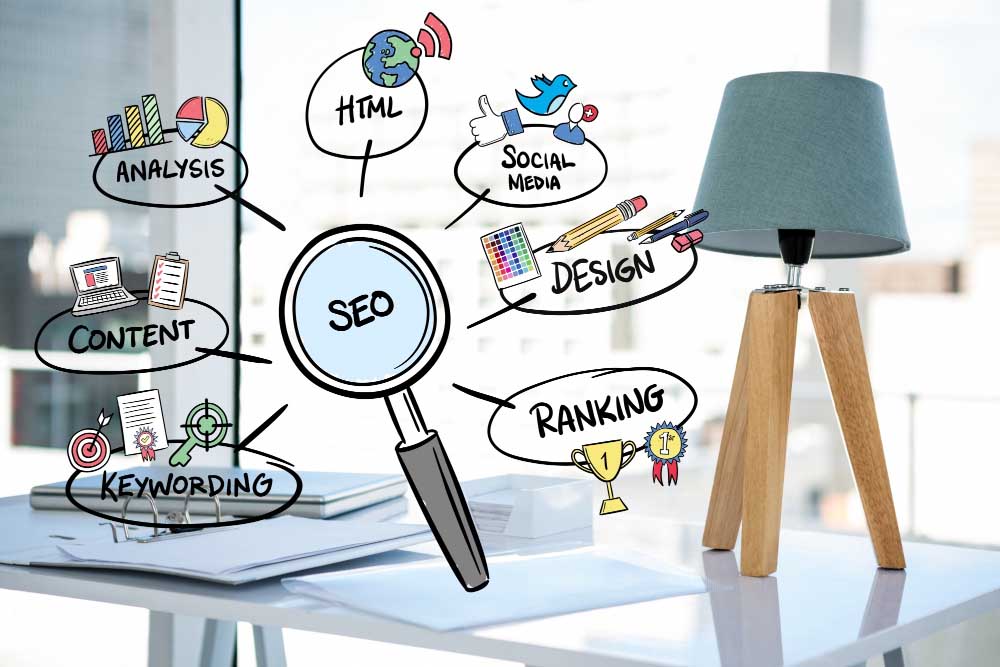
- SEO and marketing: Collect keyword rankings, backlinks, and search engine results.
- Research: Build datasets from multiple sources for academic or business analysis.
- News and media: Aggregate headlines and articles from multiple outlets.
- Real estate: Compile property listings from different websites.
- Jobs and recruiting: Pull job postings from career boards or LinkedIn.
The versatility is what makes them so powerful. Almost any data that’s visible on a webpage can be scraped.
Advantages of Using Web Scrapers
From personal experience, here are the main benefits:
- Saves time – No more hours of manual copy-pasting.
- Scalable – Handle thousands of entries instead of dozens.
- Consistent – Run the same extraction regularly to keep your data fresh.
- Accurate – Reduce human errors in collecting large sets of information.
Challenges and Limitations
Of course, web scraping isn’t perfect. Some of the challenges include:
- Complex websites – Pages with dynamic content (like JavaScript-heavy sites) can be harder to scrape.
- Blocks and rate limits – Some sites limit or block automated requests if they detect scraping.
- Data cleaning – The raw data may need to be processed before it’s ready to use.
- Legal and ethical issues – It’s important to check whether scraping is permitted by a site’s terms of service.
These limitations don’t make web scraping useless, but they’re things to be aware of before diving in.
Coding vs. No-Code Scraping
Whether to code your scraper or use a no-code tool really depends on your goals.
- If you’re technical and want full control, coding with Python gives you flexibility.
- If you just want results quickly, no-code scrapers are simple and beginner-friendly.
Both options can produce great results. Personally, I think no-code tools are the easiest entry point for most people.
Getting Started With Web Scraping
If you’re curious about trying this out, here’s how I’d recommend getting started:
- Start with a free browser extension to scrape a small set of data.
- Move on to a no-code tool to handle larger or more complex sites.
- Explore coding options if you want more advanced features.
As you get comfortable, you’ll find new ways to apply scraping to your own projects.
Final Thoughts
A web scraper is one of those tools that feels like magic the first time you use it. You tell it what to collect, press a button, and within minutes you’ve got a clean dataset ready to use.
Whether you’re doing business research, analyzing markets, or just organizing information, scrapers are a huge time-saver. And in my opinion, once you see how much work they can take off your plate, you won’t want to go back to manual collection again.
Who Web Scraping Is Best For
Web scraping makes the most sense for people with repetitive data needs: small business owners tracking competitor pricing, marketers pulling keyword data, researchers building datasets, and developers feeding information into other tools. For a small, one-time list, manual copying may still be faster, but once the task is recurring, automation pays for itself.
Common Mistakes to Avoid
- Ignoring a site’s terms of service – Always check what a website allows before scraping it.
- Sending requests too quickly – Hammering a server can get you blocked.
- Not planning for site changes – Redesigns can break a scraper built for an older version of a page.
- Skipping data cleanup – Raw scraped data often has duplicates or formatting issues that need sorting before use.
Web Scraping vs. APIs
Some websites offer an official API, a more structured way to access their data. When one exists, it’s usually the better first choice, since it’s built for outside access and tends to be more stable. Scraping is useful when no API exists or it doesn’t provide what you need.
Is Web Scraping Legal and Safe?
Scraping publicly available information is generally treated differently than scraping data behind a login, though rules vary by site and region. Reading a site’s terms of service, sticking to public data, respecting rate limits, and avoiding personal or sensitive information are good habits for staying on the responsible side of the line.
Frequently Asked Questions
Do I need to know how to code to use a web scraper?
No. No-code tools and browser extensions let you point and click on the data you want without writing any code.
Can web scraping slow down or crash a website?
It can, if requests are sent too quickly, which is why pacing requests and respecting site limits matters.
How often should I re-run a scraper?
It depends on how quickly the data changes. Prices may need daily runs, while static information can be refreshed less often.