Ibotta Referral Code (2026): Use QRJIYI for Up to $25
Looking for an Ibotta referral code that unlocks the full welcome bonus? Use QRJIYI when you sign up and, as a brand-new Saver, you can earn up to $25 on top of the regular cash back. This page covers exactly how to redeem it, who qualifies, how the offers actually credit, when you get paid, and how to fix the most common problems.
How to Redeem the Ibotta Referral Code
The bonus rewards a specific sequence of actions in your first two weeks. Here is the order that works.
- Download Ibotta from the App Store or Google Play, or start at ibotta.com.
- Enter code QRJIYI during signup. This has to be done as you create the account. You must be a brand-new Saver who has never had Ibotta before.
- Add an offer before you shop. This is the step most people miss. In Ibotta you browse offers and add the ones you want before buying, not after. An offer that is not added ahead of time will not credit.
- Buy the product and verify it. Either scan your paper receipt in the app, or link a store loyalty account so qualifying purchases credit automatically with no scanning.
- Redeem your first offer to trigger the $5 bonus, then redeem 10 offers within 14 days to unlock the $20 welcome bonus.
- Cash out to PayPal, Venmo, or a gift card once your balance reaches the $20 minimum.
Who Qualifies for the Bonus
- Brand-new Savers only. The account cannot have existed before. If you had Ibotta previously, the welcome bonus will not apply.
- The code must be entered at signup with the referral field, not added later.
- Offers must be added before purchase to count toward your 10.
- The 14-day window starts when you register, so plan a couple of normal grocery trips inside it.
How Ibotta Offers Actually Credit
This is where new users get tripped up, so it is worth understanding. Ibotta does not give cash back on everything you buy. It pays on specific offers you add in advance for specific products, brands, or sizes. If an offer says a 12-ounce package of a named brand, a 10-ounce package of a different brand will not credit. Read the offer terms, match the exact product, and add the offer before you check out. When you scan a receipt, Ibotta matches the line items against your added offers and credits the ones that qualify. Linked loyalty accounts do the same thing automatically, which is why linking your grocery store is the lowest-effort way to hit 10 offers.
How and When You Get Paid
Cash back and bonuses post to your Ibotta balance after your purchase is verified, usually within a day for receipt scans and often faster for linked loyalty accounts. The $5 first-offer bonus appears once your first offer credits, and the $20 welcome bonus posts once you have redeemed 10 offers inside the 14-day window. When your balance reaches the $20 minimum, you can withdraw to PayPal or Venmo, or convert it into a gift card. Cash withdrawals typically process within a few business days.
Troubleshooting: When an Offer or Bonus Does Not Credit
- You bought before adding the offer. The most common cause. Offers only count if they were added to your account before the purchase. Add first, buy second.
- The product did not match. Wrong brand, size, or variety. Ibotta matches offers to exact products, so check the offer’s fine print.
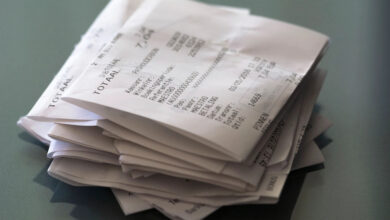
- The receipt did not scan cleanly. Capture the full receipt including the store name, date, and totals. Faded or cut-off receipts fail to match.
- You are outside the 14-day window. The $20 welcome bonus requires 10 offers within two weeks of signup.
- The account is not new. A previous Ibotta account disqualifies the welcome bonus.
Do You Also Earn for Referring Friends?
Yes. Once you are set up, Ibotta gives you a referral bonus when friends join with your code and redeem their first offers. Your code lives in the app’s account or referrals section. It is a simple way to add to your balance beyond your own cash back, and there is no cap on how many people you can refer.
Tips to Hit 10 Offers Fast
- Link your grocery store’s loyalty account. Qualifying purchases then credit automatically, which is the quickest path to 10 redemptions.
- Add every relevant offer before a big shopping trip. A single stock-up run can knock out several offers at once.
- Look for “any item” and free-product offers. These are the easiest to complete and still count toward your 10.
- Do not buy things you would not normally buy. Chasing a one-dollar rebate on an unwanted product is not saving money. Stick to your real list.
Ibotta Referral Code FAQ
What is the Ibotta referral code for 2026?
The code featured on this page is QRJIYI. Enter it during signup, redeem your first offer for the $5 bonus, then redeem 10 offers within 14 days for the $20 welcome bonus.
Does the Ibotta code still work?
Yes, as long as you are a brand-new Saver. The code only applies to accounts that have never existed before, and it must be entered during signup.
Why did my offer not credit?
Almost always because the offer was not added before the purchase, or the product did not exactly match the offer terms. Add offers first, match the exact brand and size, and scan the full receipt.
How do I get paid?
Once your balance reaches the $20 minimum, you can withdraw to PayPal or Venmo, or convert your earnings into a gift card from Ibotta’s list of retailers.
Does Ibotta charge any fees?
The app is free, but there is a $3.99 monthly inactivity fee if your account is inactive for more than 180 days. Stay active or cash out beforehand to avoid it.
The Bottom Line
The Ibotta referral code QRJIYI is worth up to $25 if you get the mechanics right: enter the code at signup, add offers before you shop, and redeem 10 of them within 14 days. Link your store loyalty account and most of the effort disappears. For the full picture of realistic monthly earnings, the fees, and how Ibotta compares to Fetch, Rakuten, and Upside, read our complete Ibotta review.